Almost every Indian photographer has delivered a wedding on Google Drive. It is already on everyone’s phone, it costs little, and nobody needs a new login. So the question is not whether Drive works. It does. The question is what it does to the last, most visible step of your service, and whether that is the impression you want to leave.
This is a fair comparison, with the places where Drive is the right choice included.
Where Google Drive is genuinely fine
Drive is a file store, and for file-store jobs it is good:
- Backups. A second copy of the edited set, kept somewhere other than your hard disk.
- Handing work to an editor or an album designer who needs the raw folder structure.
- Commercial and corporate shoots, where the client wants files for their marketing team and has no interest in browsing.
- Small personal shoots where a couple of dozen portraits go to one person.
If that is all you deliver, you may not need anything else.
Where it hurts for weddings
A wedding delivery is not a file transfer. It is two families going through hundreds of memories, on phones, over several weeks, and choosing some of them for an album. That is where Drive struggles.
It looks like a folder, not like your work
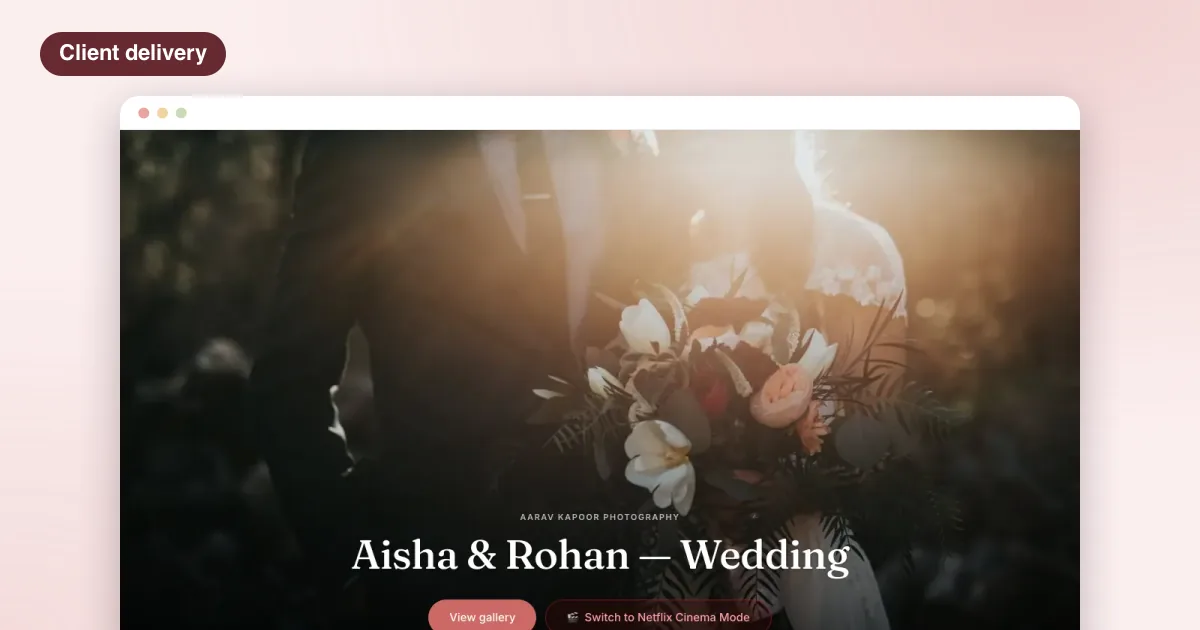
Your couple opens a list of file names and thumbnails in a grid built for documents. The first impression of months of work is a storage app. There is no cover photo, no couple’s names, no studio name, no sense of the day.
Album selection happens somewhere else
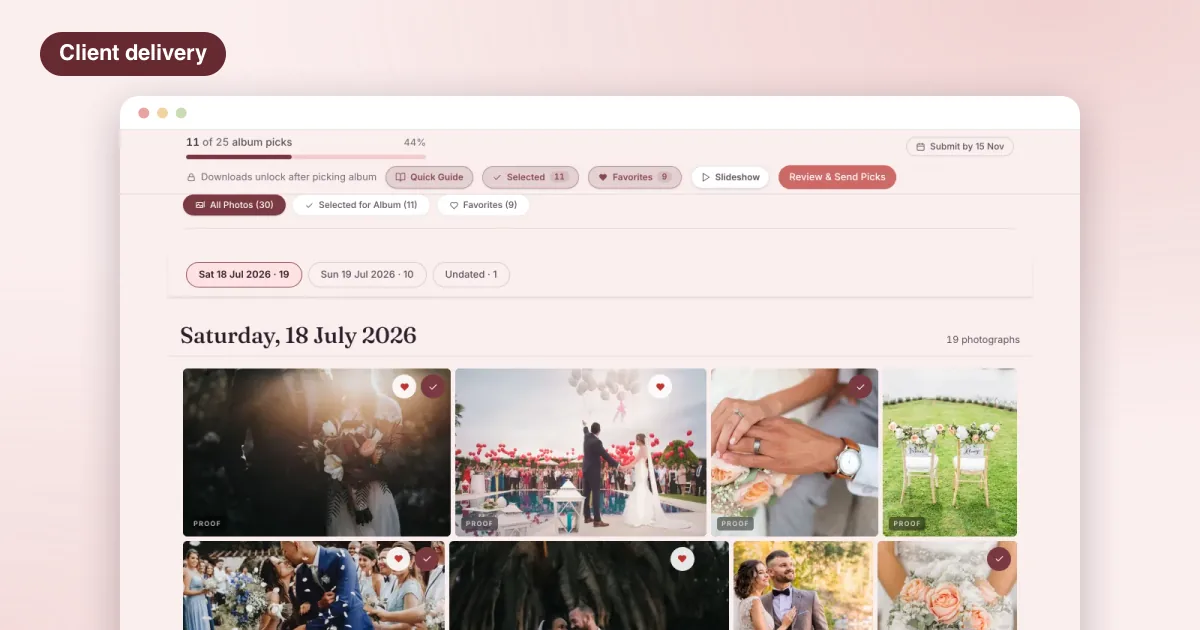
Drive has no idea that the couple needs to pick a fixed number of photos for an album. So selection moves to WhatsApp: file numbers typed by hand, screenshots, voice notes, changes of mind. You then match all of it back to the files. Any photographer who has done this for a five-function wedding knows how long it takes, and how easy it is to miss one.
You cannot hold downloads
On Drive, once the couple can see a photo, they can download it at full resolution. There is no proofing stage with watermarks, and no way to say “view and pick now, download after the final payment”. That pushes you into either trusting completely or withholding the link.
Sharing control is all or nothing
A folder shared with anyone who has the link can be forwarded to the whole extended family, and then beyond. There is no PIN, and no simple way to show a guest only the photos they are in.
Films live somewhere else
Highlight films usually end up as a separate link, or a separate folder with a file too large to play smoothly on a phone.
What a client gallery adds
A client gallery is built for this last step. The useful differences for an Indian wedding:
| Need | Google Drive | A client gallery |
|---|---|---|
| First impression | A file list | Cover photo, names, your studio |
| Functions | Folders | Sections in order: Haldi to Reception |
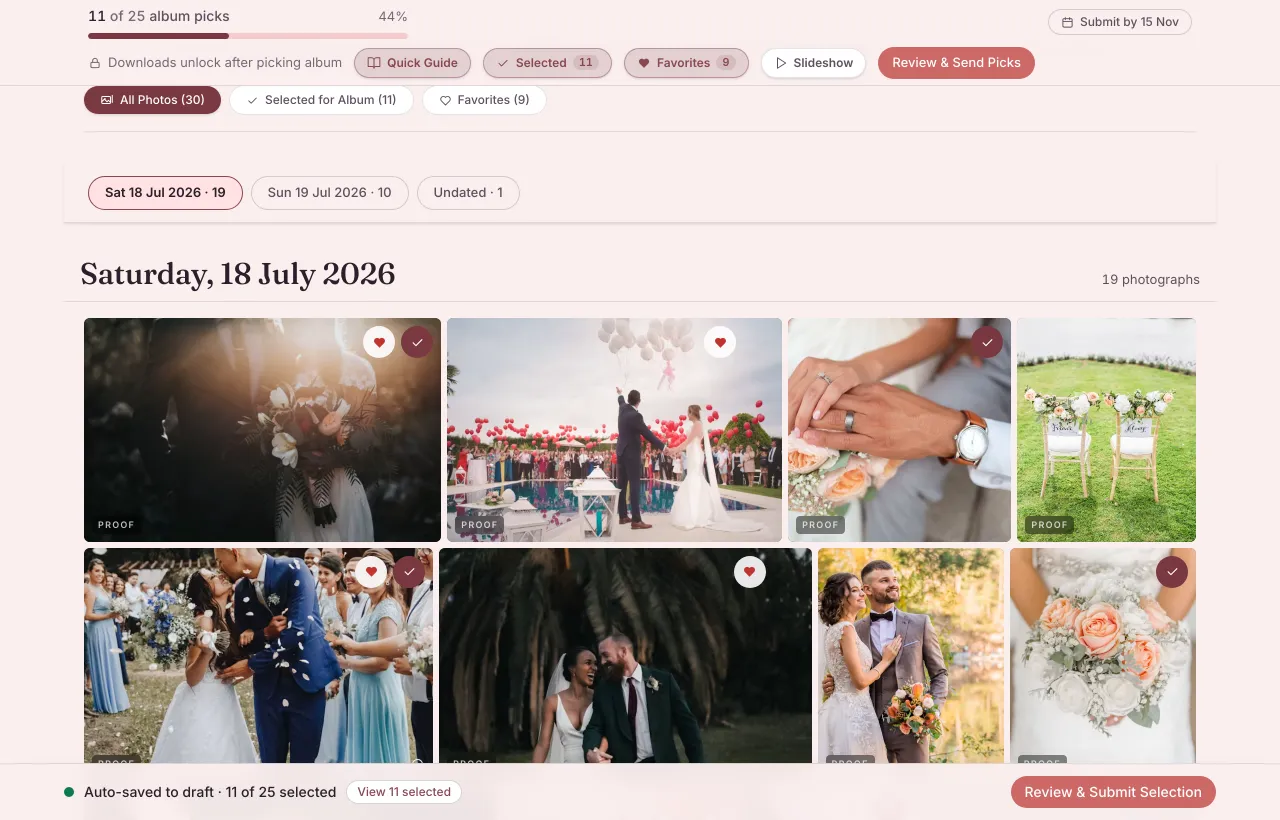
| Album picks | On WhatsApp, by file name | Ticks against a number you set, one submitted list |
| Notes on a photo | Comments, if anyone finds them | A note on the photo itself |
| Downloads | Always on | On when you release them |
| Privacy | Link sharing | Private link, PIN if wanted |
| Films | Separate files | In the same link |
| Guests | Forwarded by the couple | Each guest finds their own photos |
Cost: compare the whole job, not the storage
Drive storage is cheap, and that is the usual argument for it. The real cost of a Drive delivery is your time: renaming folders, matching WhatsApp picks to files, re-sending links, answering “how do I download all of them”, and chasing a balance after everything has already been handed over. For one wedding a year that is fine. For a full season, it adds up to days.
A client gallery costs money, so judge it by what it removes from your week. If it saves you the selection back-and-forth on even a few weddings, it has usually paid for itself in hours.
A sensible middle path
You do not have to choose one tool for everything:
- Back up every wedding to your own drives and to cloud storage. Drive is fine for this.
- Deliver to the couple through a client gallery: proofs, picks, notes, then the release.
- Hand files to your editor or album designer however suits them.
That way the couple gets an experience that looks like your work, and you keep the tools you already rely on behind the scenes.
Questions to ask before you switch
- Can the couple pick against a number, and can I set a date to submit by?
- Can I keep downloads off until I release them, or until the balance is paid?
- Does it work well on a phone, since that is where most families will look?
- Can each function be its own section?
- Can films sit in the same link?
- Can guests get their own photos without the couple forwarding everything?
- Is the pricing in rupees, and does it scale with how much I store?
LensPilot answers yes to each of these, and adds the studio side behind the gallery: shoots, agreements, payment plans and your team. If you want to compare it properly, read how LensPilot works for photographers, see how it compares, or check what each plan includes. For the full delivery flow, see our guide on how to deliver wedding photos to clients.
Questions photographers ask
Is Google Drive safe for sharing wedding photos?
Drive is a reliable place to store files. The risk is in the sharing: a folder set to anyone with the link can be forwarded endlessly, and there is no PIN or viewer-level control. For a private family event, that is worth thinking about.
Can clients select photos for the album in Google Drive?
Not in any structured way. Clients usually send file names or screenshots on WhatsApp, which you then match by hand. A client gallery lets them tick photos against a number you set and submit one list.
Should I stop using Google Drive completely?
No. Drive is good for backups, for handing large raw folders to an editor, and for commercial clients who just want files. Use a client gallery for the part your couple actually sees.
Does a client gallery replace my own backups?
No. Keep your own backups of every wedding regardless of how you deliver. A gallery is how the couple views, picks and downloads; your backups are your own copy of every wedding.